Messenger and WhatsApp Buttons on Your Business Profile: Should a Dental Practice Use Them?
Google is adding Messenger and WhatsApp buttons to some Business Profiles. Here is what dental practices should weigh on privacy, response time, and staffing.
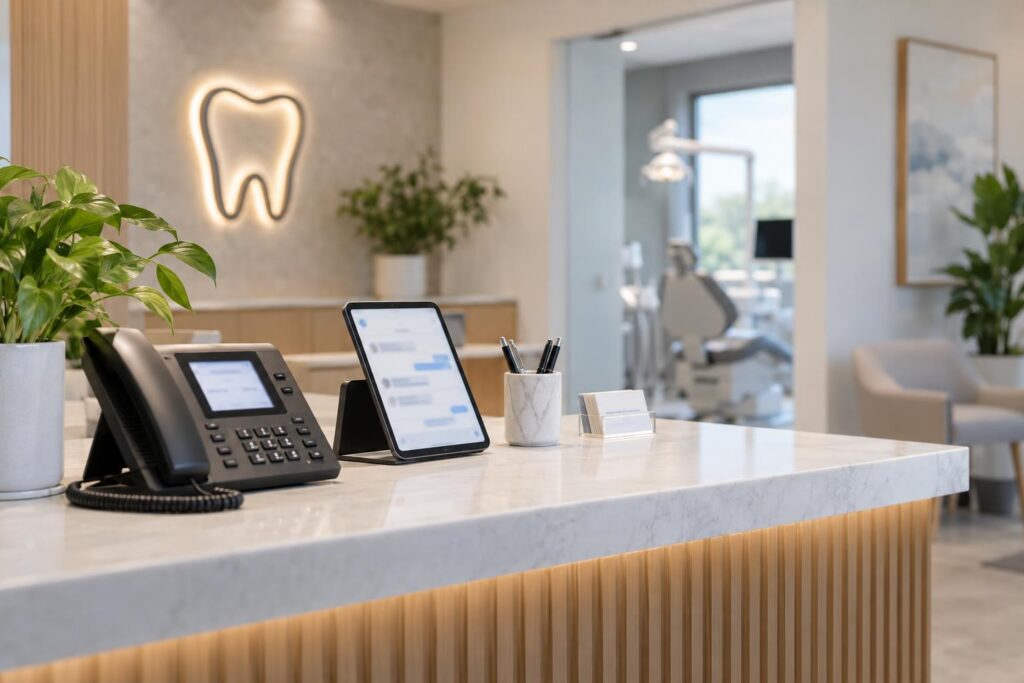
Should your dental practice add a public chat option to its Business Profile? Only after you know who will monitor it, what questions it will handle, and where sensitive conversations will go. For U.S. practices, a convenient button can create another patient contact route, but it does not create staffing or establish that the resulting data flow is appropriate.
We recommend making the operating decision before enabling the feature. A small, well-managed administrative channel can be easier to explain than a broad invitation to “ask us anything” that the practice cannot safely support.
Check what your profile actually offers
The current chat instructions describe WhatsApp or text options for verified profiles in supported regions. Availability varies. The documented route is Edit profile, then Contact, then Chat where available.
Do not assume a universal Messenger rollout or invent removal steps for a button you have not identified. If the profile shows an unexpected contact option, inspect the actual destination and use official support when needed.
Before saving any change, confirm the receiving account or number. A link that opens a former employee’s account or an unmonitored device is an operational defect even if it technically works.
For a multi-location practice, decide whether messages should reach the local office or a central team. The person answering needs to know which location the visitor intended to contact and what that office can actually offer.
Decide which questions belong in the channel
Start with a narrow administrative scope: confirming public hours, explaining how to request an appointment, or directing someone to an approved contact route. Have the practice review even those uses in the context of its tools and obligations.
Do not market the channel as a place for diagnosis, treatment recommendations, or urgent assessment. Staff should know how to route a clinical question using the practice’s approved process.
Tell users not to send medical details through a general chat route, but do not treat that warning as a complete safeguard. People may send sensitive information anyway. The practice needs a plan for receipt, access, retention, and escalation.
The HIPAA marketing guidance distinguishes uses of patient information by purpose. A platform feature alone does not resolve the privacy analysis for the practice’s actual use. Ask the privacy lead to review the proposed workflow before launch.
Use a go-or-wait decision table
| Requirement | Ready to consider enabling | Reason to wait |
|---|---|---|
| Monitoring | A named team member and backup own the inbox | Everyone assumes someone else will answer |
| Availability | The practice has approved accurate response expectations | The button implies continuous monitoring |
| Scope | Staff know which administrative questions they may handle | The invitation encourages open-ended clinical advice |
| Sensitive messages | An approved escalation and handling process exists | The team plans to improvise if medical details arrive |
| Access | Business control and staff permissions are understood | Messages depend on a personal device without an agreed policy |
| Location routing | The intended office and booking path are clear | Central staff cannot identify the relevant office |
The table is a practical decision aid, not a compliance certification. If a key answer is unresolved, keep the existing approved contact route while the practice resolves it. Adding a channel is optional; handling it responsibly is not an afterthought.
Write the opening message around real availability
A useful opening explains the channel’s limited purpose and directs people to the appropriate route for private information. It should also describe when the team monitors messages, using hours the practice can actually maintain.
Avoid “instant answers,” “always available,” or “a dentist is standing by” unless the practice can substantiate the statement and has approved that service. A reassuring phrase can become a misleading service promise.
Suggested wording for review: “This channel is for general office and appointment questions. Please do not send medical details here. Our team can direct you to the appropriate contact route.” Add the practice’s approved availability and urgent-contact instructions separately.
Test the message on the device a visitor is likely to use. Check whether the greeting appears before a person begins typing and whether the destination identifies the correct practice. Do not rely on an internal preview alone.
Train for the message you hoped not to receive
Staff may receive a photograph, a description of symptoms, an insurance identifier, or a complaint. Write down what happens next before enabling the channel. The first response should follow the practice’s approved process, not a marketing script improvised in the moment.
Do not paste the conversation into a general AI tool to generate a better answer. The practice should approve any tool used with patient-related information, including its access and data handling.
Keep clinical interpretation with the appropriate clinical team. A staff member can acknowledge that the message needs another route without assessing the condition or making a treatment promise.
If a message indicates urgency, use the practice’s established escalation instructions. Do not let a marketing inbox become an assumed emergency service simply because it is easy to reach.
Keep ownership independent of one employee
Identify who controls the receiving account, how access is granted, and what happens when a staff member leaves. Review linked devices and permissions through the platform’s supported controls.
Choose where administrative follow-up is recorded. If a person asks for an appointment, the task needs to reach the approved scheduling process. Leaving the request only in a chat history makes continuity depend on whoever remembers it.
Have the practice set appropriate retention and deletion procedures with its advisers. Do not assume that deleting a message from one screen removes every copy or resolves an earlier disclosure.
Check the workflow after a staffing change or a revised office schedule. A channel that was manageable during one period may become unattended when the responsible person is away.
Make the local details worth asking about
Collect the verified questions the front desk can answer for each office: which entrance to use, whether a requested appointment type is offered there, and how someone can ask about accommodations. Keep the responses tied to current office information.
If a central team serves several locations, provide a location directory inside the approved operating system. The public conversation should not become a guessing exercise about which office has the relevant schedule.
Do not infer local language coverage, evening availability, or transport arrangements from the neighborhood. Publish only what the practice has confirmed. A clear limitation is more useful than a friendly claim that proves wrong when someone arrives.
Review whether the channel is helping
Look at the kinds of questions received, unresolved messages, routing mistakes, and staff time required. Keep the review aggregated and privacy-appropriate. You do not need a collection of patient screenshots to decide whether the process works.
If most conversations belong in a secure channel, consider making that route more visible instead of expanding general chat. If messages arrive outside monitored hours, revise the expectation and coverage plan.
The decision can be to continue, narrow the purpose, or disable the option while improving the process. None of those choices should be based solely on the appeal of having another contact button.
Rehearse the handoff before turning the button on
Use a few invented administrative messages to test the process: a request for opening hours, a question intended for another location, and a message that should move to an approved private route. Do not use real patient information in the rehearsal.
Ask the monitoring person to show where the task is recorded and how the backup sees it. Check what happens when the message arrives outside the stated monitoring window. The response should match the promise visible to the visitor.
Have the privacy lead review the point at which staff stop answering in the public-contact channel. That boundary should be clear enough to apply without guessing whether the next message will contain sensitive information.
If the rehearsal exposes a missing owner or unclear route, resolve it before enabling the feature. A button can be added quickly; the service behind it needs a deliberate handoff.
Review that rehearsal again when the receiving number, monitoring team, or office schedule changes.
What people get wrong
Does an available button mean the tool is approved for every patient conversation?
No. The practice must assess its actual use, data handling, and obligations. Feature availability is not a privacy determination.
Does a warning stop sensitive information from arriving?
No. Plan for the information people may send despite the warning, and train staff on the approved response.
Can AI answer routine questions without supervision?
Only consider automation within a specifically approved scope and workflow. A seemingly routine question can turn clinical or reveal private information. Do not assume the next message will remain administrative.
Will adding chat improve AI discovery or rankings?
We do not promise that. Evaluate the channel as a service and staffing decision, with accurate information and a clear route for the person contacting you.
Should your practice add another contact channel?
Discuss the next step with Geeks for Growth for your U.S. practice or agency.
Explore Dental Marketing Services · Request Strategic Guidance · Browse Resources
Related Posts